Lightning swipes
Keep with a swipe up, delete with a swipe down. One gesture per contact, no menu hunting.
It's not about saving time on each delete. It's about finally not having a messy address book hanging over you.
Swipe through your address book like a card stack. Merge duplicates in one tap. Export safe backups before anything destructive. All on-device — nothing ever leaves your phone.
 Requires iOS 17 · 13.5 MB · 27 languages


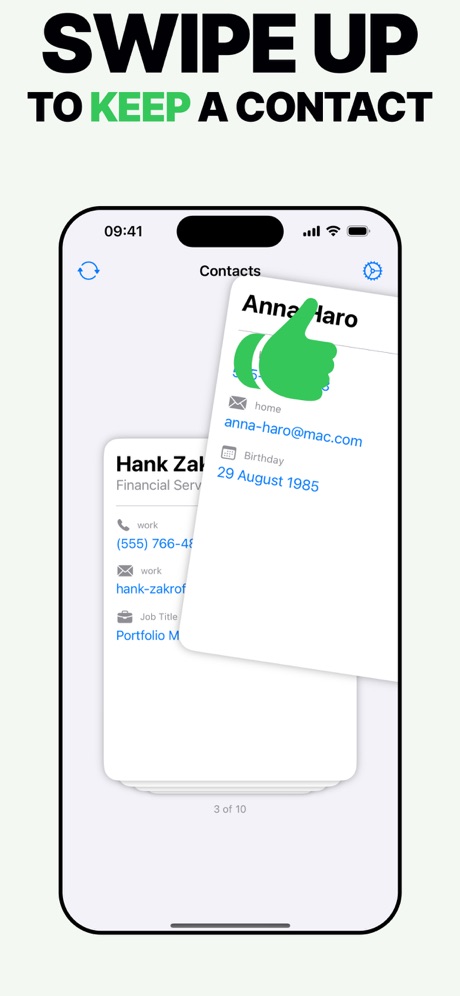

Designed with thumb-first interactions, subtle haptics, and tactile cards so you can cruise through hundreds of contacts without losing your rhythm.
Keep with a swipe up, delete with a swipe down. One gesture per contact, no menu hunting.
Find every duplicate variation and combine them in one tap — the right details kept, the noise gone.
Export to CSV, Excel, or vCard before any destructive action. Your address book, your control.
Most contact apps upload your address book to their servers. This one can't — no login, no cloud. Your contacts never leave your iPhone.
From the first swipe to a clean backup, every step is structured so you stay confident even on a 1,000-contact session.
Each contact is a full-screen card. Swipe up to keep, down to delete, or tap for details.
A 30-day trash holds everything you delete. Restore with one tap if you change your mind.
Generate CSV, Excel, or vCard backups instantly — keep them wherever you trust most.
"It's super easy to use. I actually enjoyed sorting out my contacts list. It felt like a game!"
— ChaimaeHimdi"I really like the app. It makes organizing your contacts list a breeze. Thank you for developing this. 🙂"
— Adamgo19810956"It does its job."
— Jaded090"Nice and useful app."
— Soufiane 05Delete Contacts works offline. No servers, no hidden data collection. Every swipe, merge, and export happens in real time on your device.
“I came across this app by accident. For ages I've wanted to clean up my contacts after 20 years of being an Apple user. However I didn't know where to start. This app is so simple as it allows you to swipe through your contacts and delete very easily. Swipe up to keep, swipe down to delete — simple as that!”
Join iPhone owners around the world who manage hundreds of contacts with the most intuitive, gesture-first cleanup tool.
Requires iOS 17 • 13.5 MB download